
About the 4D Viewer
The 4D Viewer shows four-dimensional polytopes, also called polychora, in your browser. Choose a shape from the menus at the top and turn it: rotating it in ordinary 3D space turns the picture you see, while rotating it through the fourth dimension, W, changes the picture itself as other parts of the shape come towards you.
See the cells, not just the edges
A polyhedron is bounded by polygons, its faces. A four-dimensional polytope is bounded by polyhedra, its cells: the tesseract (also known as a hypercube), for example, is bounded by eight cubes. The viewer draws those cells as solid shapes rather than a tangle of lines, so you can see which polyhedra make up a shape and how they fit together.
“Cell scale” shrinks every cell towards its own centre, opening gaps between them so you can see inside even the most complicated shapes. Under “Cell Sets”, each kind of cell can be given its own colour or hidden, and “Culling” can show only the cells facing towards you in 4D, or only those facing away.
Unfold 4D polytopes into 3D nets
A cube can be unfolded into six squares lying flat on a table. In the same way, a four-dimensional polytope can be unfolded into its cells, joined face to face and lying in ordinary 3D space. This is its net, and every shape in the viewer comes with one.
Move the “Fold” slider to fold the net up into four dimensions and back again. Watching it fold shows which cells are neighbours, and how a shape that does not fit in our space is put together from pieces that do.
Rotate through the fourth dimension
A rotation turns things within a plane. Ordinary space has three such planes, X-Y, X-Z and Y-Z; four-dimensional space has three more, W-X, W-Y and W-Z, which involve the fourth direction W and have no counterpart in the world around us. The sliders under “4D Rotation” and “3D Rotation” set each plane turning at its own speed.
With a mouse, drag with the left button to rotate in 3D, drag with the right button to rotate through W, and use the wheel to zoom. On a touch screen, one finger rotates, and the “Drag rotates” switch chooses between 3D and W; with two fingers, a pinch zooms, an up-and-down drag folds and unfolds the net, and a sideways drag changes the cell scale.
From four dimensions to three
To be drawn on a screen, a four-dimensional shape is first projected into three dimensions, much as a camera projects a 3D scene onto a flat photograph. The “Angle” under “Projection” sets how much perspective that projection has: at zero it is a parallel projection, and as the angle grows, the parts of the shape nearer to you in 4D are drawn larger and the parts farther away smaller.
Step inside in VR and AR
On a headset whose browser supports WebXR, “Enter VR” places the shape in the space around you, at whatever size you choose, so you can walk round it and look into it from every side. “Enter AR (passthrough)” does the same over the headset’s view of the real room. There is nothing to install: it all runs in the browser.
More than 1,700 shapes
The viewer holds the 47 convex uniform polychora that are not prisms, among them the six regular polychora; their duals, the 47 Catalan polychora; duoprisms built from any two polygons you choose; and more than 1,600 further polychora, most of them non-convex, from Jonathan Bowers’s catalogue, arranged in his categories.
For the vertex, edge, face and cell counts of each convex uniform polychoron, see the 4D Shapes Reference, where every shape also opens straight into this viewer.
Shapes to start with
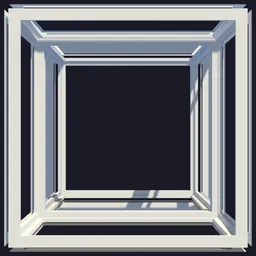
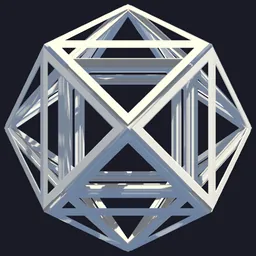
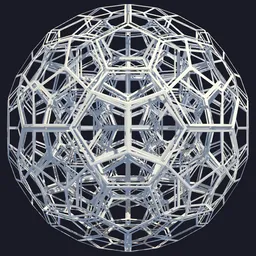
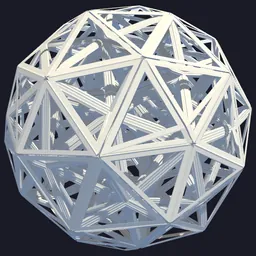
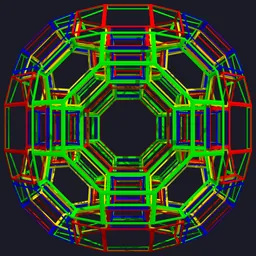
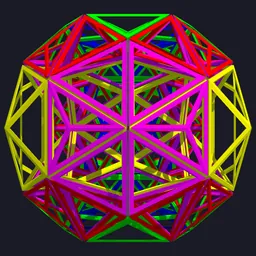
Build them yourself
In 4D Builder, our game on Steam, you build these shapes yourself: join cells into nets, fold them up through the fourth dimension, and solve puzzles about how they fit together.